How to pass data to another view

521 Views Asked by At

I'm working on a map which have some markers and I want to create an info view which will show an image and some text for each marker.
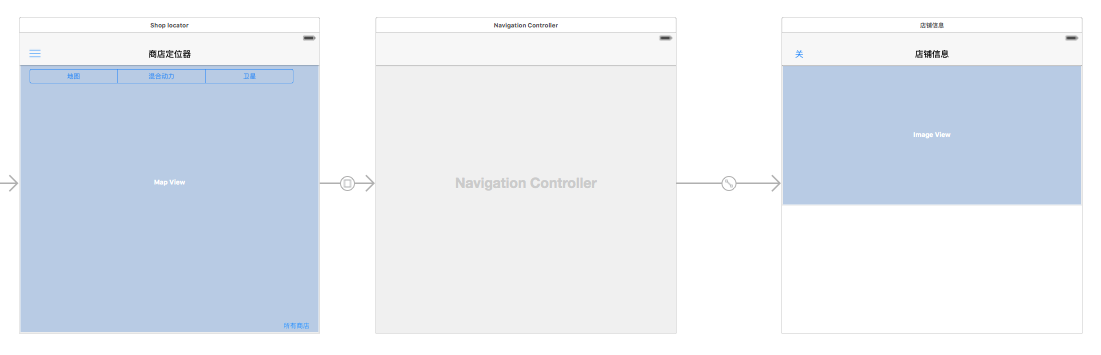
map

So, when I press the info button, it goes to a info view.
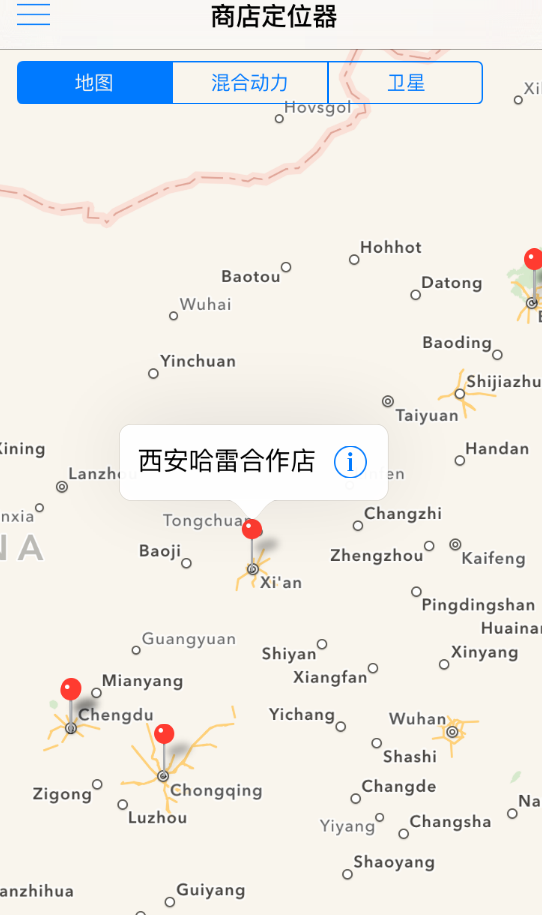
map2

I have this on the code:

func mapView(mapView: MKMapView, annotationView: MKAnnotationView, calloutAccessoryControlTapped control: UIControl) {
    if control == annotationView.rightCalloutAccessoryView {

        performSegueWithIdentifier("showInfo", sender: data)

    }
}

But I want to pass the data from "locations" so I could show a image for each.

I need to do this in Swift.

Thanks a lot.

3

There are 3 best solutions below

0
Mirsat Murutoglu On BEST ANSWER

You should add this method to your class if you do not have and then pass your data to destination view's data.

override func prepareForSegue(segue: UIStoryboardSegue, sender: AnyObject?) {
    if segue.identifier == "showInfo" {
        let destination = segue.destinationViewController as! YourViewController
        //this will execute before next ViewController's viewDidLoad method
        destination.data = sender
    }
}
0
Thomas On

You have to override prepareForSegue function in your viewController:

override func prepareForSegue(segue: UIStoryboardSegue, sender: AnyObject?) {

        if "showInfo" == segue.identifier {
           // Then pass your data
           let destController = segue.mapViewController as! YourViewController 
           destController.yourData = sender
        }
    }
0
gjain On

Connect the info button outlet to your viewcontroller. Then create func as follows:

override func prepareForSegue(segue: UIStoryboardSegue, sender: AnyObject?) {
    if "YourSegue" == segue.identifier {
        // Then pass your data
    }
}