I had already done several projects using simple freertos ideas: led, button. Implementing semaphores, queues or some interrupt. I can't run this simple code tough.
#include <stdio.h>
#include "freertos/FreeRTOS.h"
#include "freertos/task.h"
#include "freertos/semphr.h"

#include "driver/gpio.h"

#define BLINK_GPIO 21 //2
#define BUTTON_GPIO 0

void task_blink(void *pvParameters);
void task_botao(void *pvParameters);
//void wd_off_task(void *pvParameters);
SemaphoreHandle_t sem_sinc;

void app_main(void)
{
    gpio_pad_select_gpio(BLINK_GPIO); // Configura o pino como IO
    gpio_set_direction(BLINK_GPIO,GPIO_MODE_OUTPUT); // Configura o IO como saida

    gpio_pad_select_gpio(BUTTON_GPIO); // Configura o pino como IO
    gpio_set_direction(BUTTON_GPIO,GPIO_MODE_INPUT); // Configura o IO como entrada

    vSemaphoreCreateBinary(sem_sinc); // Cria o Semaforo
    xSemaphoreTake(sem_sinc,0); // Garante que inicializa com 0

    xTaskCreate(task_blink,"Task Blink",1024,NULL,2,NULL);
    printf("Task Blink Criada!!!\r\n");

    xTaskCreate(task_botao,"Task Botao",1024,NULL,2,NULL);
    printf("Task Botao Criada!!!\r\n");

    //xTaskCreate(wd_off_task,"Task desliga WD",1024,NULL,1,NULL);
}

void task_botao(void *pvParameters)
{
    while(1)
    {
        if(gpio_get_level(BUTTON_GPIO) == 0)
        {
            while(gpio_get_level(BUTTON_GPIO) == 0){}
            printf("Botao Pressionado!!!\r\n");
            xSemaphoreGive(sem_sinc);
            vTaskDelay(1);
        }
    }
}

void task_blink(void *pvParameters)
{
    while(1)
    {
        if(xSemaphoreTake(sem_sinc,portMAX_DELAY)==pdTRUE)
        {
            printf("Pisca Led!!!\r\n");
            if((gpio_get_level(BUTTON_GPIO) == 0))
                gpio_set_level(BLINK_GPIO, 1);
            else
                gpio_set_level(BLINK_GPIO, 0);

        }
    }
}
The issue:
The code is built nicely, and the same for the flashing to ESP. As I press the button, it shows in the terminal the designed messages. See, the only problem here lies on I can't set the LED's level, toggling it! Because of this, all I can get is the LED turning on and turning off afterwards quickly(every time the semaphore syncronizes the 2 tasks).
I suspect it's all about some kind of config, related to this GPIO. (Although I'm using the reset port to read the button, I still think this is not the matter, because the port was properly configured on the lines above)

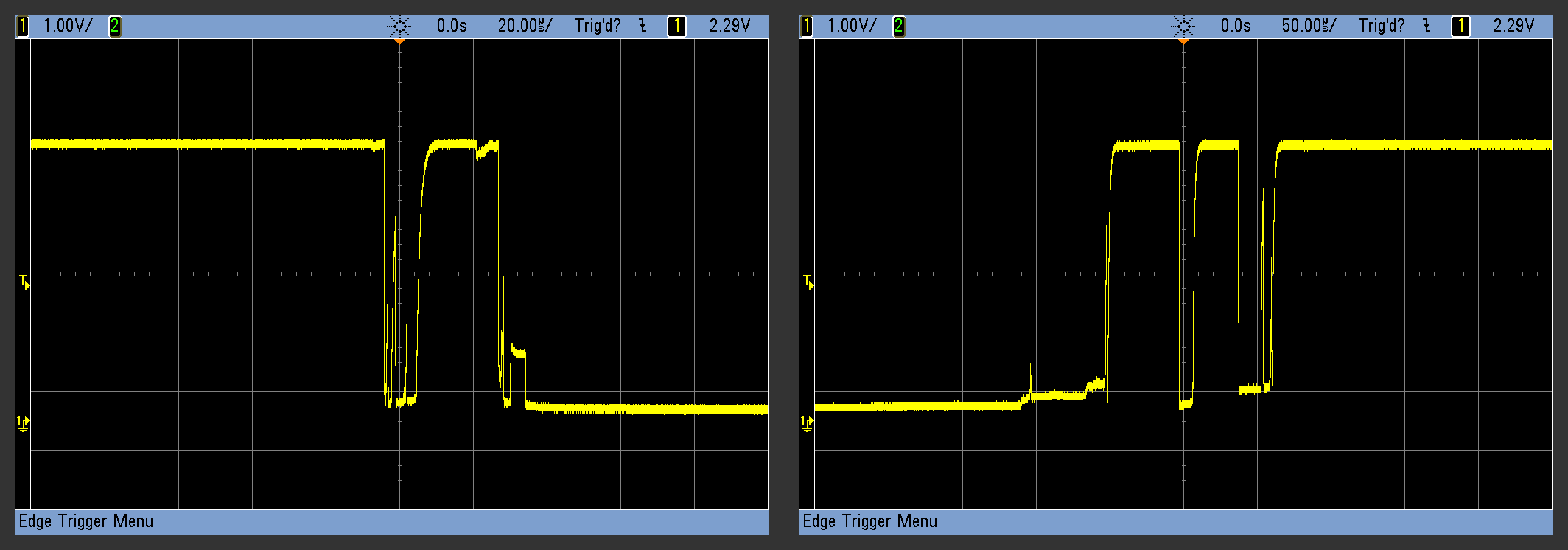
Your switch polling needs to detect transitions, but avoid erroneously detecting switch bounce as a valid transition. For example:
The blinking task need not be reading the button input at all; not is it unnecessary, it is also a bad design: