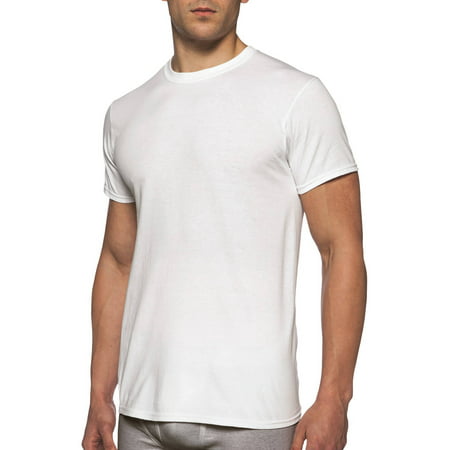
I'm looking for a cross platform method to tint a detailed PNG or JPG, with a color. An example use case would be like this: https://i5.walmartimages.com/asr/74cb7e15-a285-40cc-a294-c157ed6fa8b2_1.b9ab5eb83cad0a612996470fbe7917c3.jpeg?odnHeight=450&odnWidth=450&odnBg=FFFFFF
The above is an image of a model wearing a white shirt.
I would "cut out" the white shirt and overlay it on the model. That gives me a white shirt to manipulate, while the model remains unchanged.
The user would slide their finger on a color chart or something similar. While they're doing this, the shirt would tint with the user's selected color, while also keeping the shadow details. So if they picked a red, the shirt would be red with red shadows.
With all the apps out there that allow you to adjust skin tone, adjust eye color, apply makeup, etc., I'm hoping there's a way to do this with Appcelerator. Many thanks in advance for your help.


A simple method I usually use in Appcelerator for tinting is to overlay your ImageView with a regular View but set the View's backgroundColor property with a transparency value in the form of ARGB like
backgroundColor: "#80FF0000"as described in this link.However I'm not sure if this is the best method considering color accuracy since you're displaying this on shirt variations for a customer and I'm unaware of other approaches.